Simple visual response test
How This Reaction Time Test Works
The test measures the delay between a visual signal appearing and your response. That delay is shown in milliseconds, where 1,000 milliseconds equals one second. It is a simple measure of visual response speed rather than a complete assessment of every type of reflex or decision.
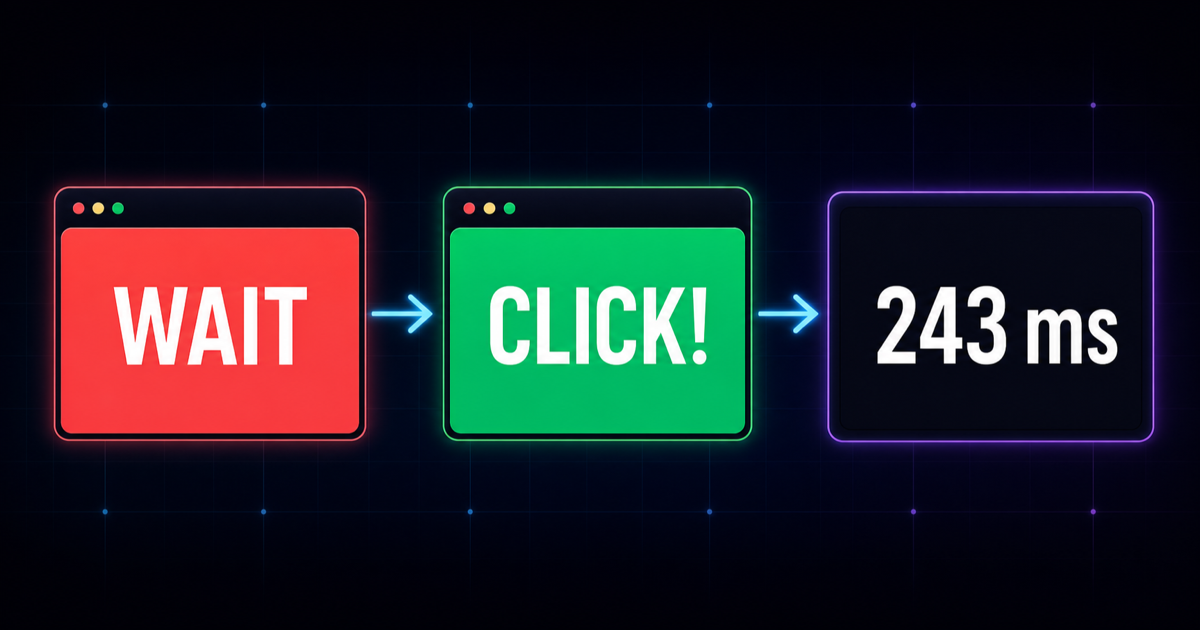
Select the test area to begin. The screen enters a waiting state and turns red. After a random delay, it turns green. Respond as soon as you see the color change. If you respond before the green signal appears, the attempt is marked as a false start and should not be included in your comparison.
- Start: select the large test area at the top of the page.
- Wait: keep watching while the screen is red.
- Respond: click, tap or press Space or Enter when it turns green.
- Review: check the result and repeat under the same conditions.
The random waiting period makes the signal difficult to predict. This helps the result reflect your response to a visual cue instead of your ability to memorize a countdown. Your latest result appears after every valid attempt, while your best score is stored locally in this browser.
Read the number in context
Understand Your Reaction Time Result
A lower number means you responded more quickly. However, a single score should not be treated as a precise measure of your overall reflex ability. Attention, fatigue, practice and device latency can all affect the result, so a group of valid attempts is more useful than one unusually fast number.
These ranges are guidance for this browser tool, not clinical norms. The 273 ms number shown beside the test is a site reference point, not a claimed global average. For a steadier comparison, complete five valid rounds and use the median. The median is less affected by one guess or one distracted attempt than a single best score.
For a deeper explanation, see our guide to average reaction time and typical score ranges.
Why attempts vary
What Can Change Your Response Speed?
Your score can change from one attempt to the next even when you use the same device. That variation is normal because the result includes both your response and the technology used to display and record it.
Attention and readiness
Notifications, conversation and looking away from the center of the screen can delay a response. Test in a quiet setting and keep your eyes on the test area without trying to predict the signal.
Sleep and fatigue
Tiredness can make responses slower or less consistent. Controlled research using psychomotor vigilance tasks has found that sleep loss can impair vigilant attention. You can review the supporting research on sleep loss and vigilant attention.
Display and input delay
Screens refresh at different rates, and a mouse, trackpad, touchscreen or keyboard can each introduce a different delay. Compare sessions made with the same device and input method whenever possible.
Practice and anticipation
Early rounds may improve as you learn the task. That is different from clicking before the green signal. False starts are not valid improvements and should always be excluded.
Make comparisons fair
How to Get a More Reliable Result
Complete at least five valid attempts on the same device. Keep the browser, display and input method unchanged during the session. Place the window where the test area is clearly visible, close distracting tabs and avoid switching applications while waiting for the signal.
Do not tense your hand or try to predict when the color will change. The goal is to respond to the cue, not to beat the random delay. Exclude false starts and any round interrupted by a notification, accidental touch or momentary distraction.
If scores become slower after many rounds, take a break. Repeated attempts can introduce fatigue, while chasing a personal best can encourage guessing. When comparing results across days, test at a similar time and under similar conditions. A consistent setup is more useful than the lowest number produced across several unrelated devices.
Build consistency first
How to Improve Reaction Speed
Begin with a baseline: complete five valid rounds, calculate the median and record the testing conditions. Repeat the same routine on another day before deciding whether your response speed has changed.
Short, focused practice sessions can help you become familiar with visual cues and reduce hesitation. Stop when you begin guessing or losing concentration. Practising this exact task may improve performance here, but it does not automatically mean every real-world reaction will improve by the same amount.
Regular sleep, physical activity and task-specific practice can support attention and coordination. For sports or gaming, use drills that resemble the movements and decisions required by the activity instead of relying only on a screen-click test. Accuracy matters as much as speed: a response that happens before the signal is not a successful reaction.
Build a repeatable routine with our guide on how to improve reaction time with practical drills.
Know what is measured
Browser Test Accuracy and Limitations
This tool measures the complete path from the screen displaying a signal to the browser receiving your input. That path includes your visual response, physical movement, monitor refresh timing, input-device delay, operating-system processing and browser timing. A browser result therefore cannot isolate biological response time in the way specialist laboratory equipment can.
Two people using different devices may receive different scores even if their underlying response speed is similar. The test runs locally after the page loads, so internet connection speed should not determine the timing of an individual attempt. Device and browser performance can still introduce small differences.
Use the result for entertainment, practice and personal comparison. It is not a medical, neurological or driving-fitness assessment. If you are concerned about a sudden or persistent change in coordination or response speed, consult an appropriate healthcare professional rather than relying on an online score.
Common questions
Reaction Speed Test FAQ
What is a good reaction time?
For many browser-based visual tests, a result around 200–300 ms can be a useful comparison range. There is no universal good number because the task, device, attention and testing conditions all affect the result.
Is a reaction time below 200 ms fast?
A valid result below 200 ms is fast for this type of test. Repeat several rounds to confirm it. One isolated low score may result from anticipating the green signal rather than reacting after seeing it.
Why does my score change between attempts?
Attention, hand position, display timing, input latency and background system activity can change each attempt. Compare the median of several valid rounds instead of treating one score as definitive.
Is a phone or computer more accurate?
Neither is always more accurate. Touchscreens, monitors, mice and keyboards have different delays. The fairest comparison is between attempts made on the same device with the same input method.
How many attempts should I complete?
Complete at least five valid attempts. Use the median as your session result and exclude false starts or interrupted rounds. More attempts are not always better if fatigue causes your attention to decline.
Can this test diagnose a medical problem?
No. It is a browser-based measurement for personal comparison and entertainment. It cannot diagnose a condition or decide whether someone is safe to drive or perform hazardous work.
Ready to compare your response speed under consistent conditions?
Return to the test